Need Assitance?
Call us at 844-203-6588.
We Accept




$5,291.00

Production Time: 2 Business Days After Proof Approval
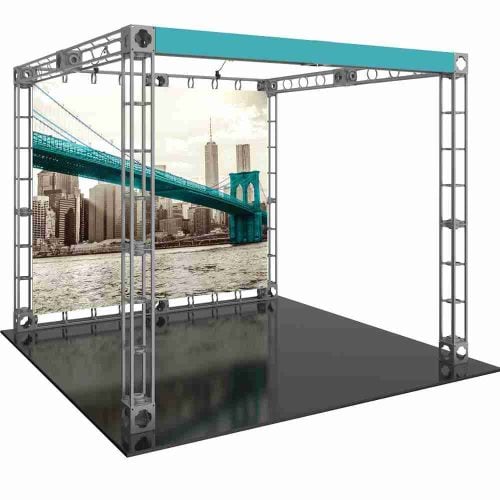
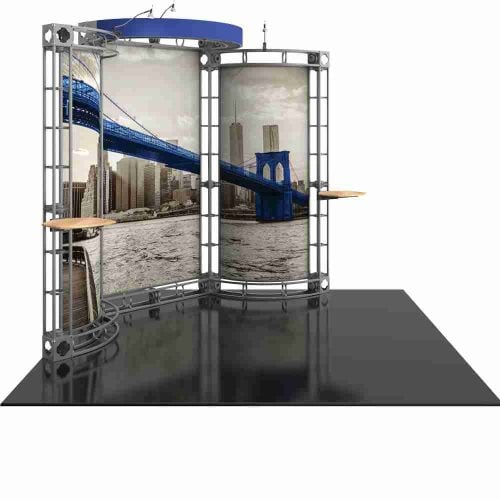
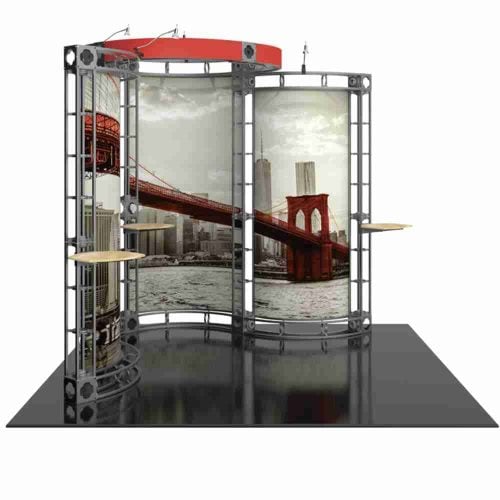
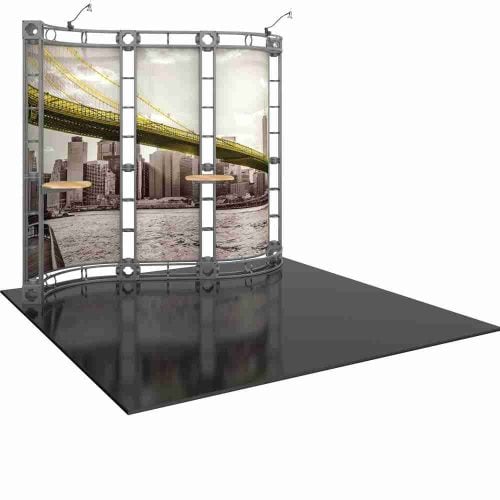
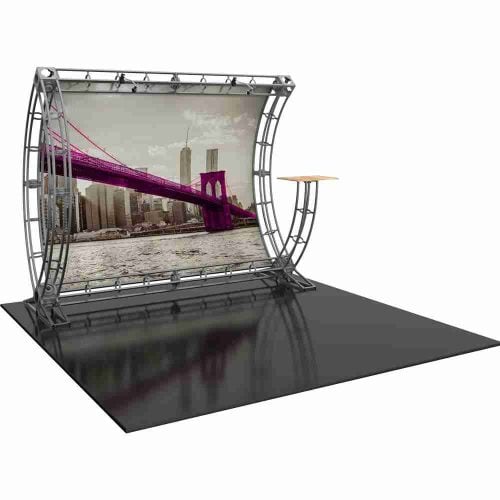
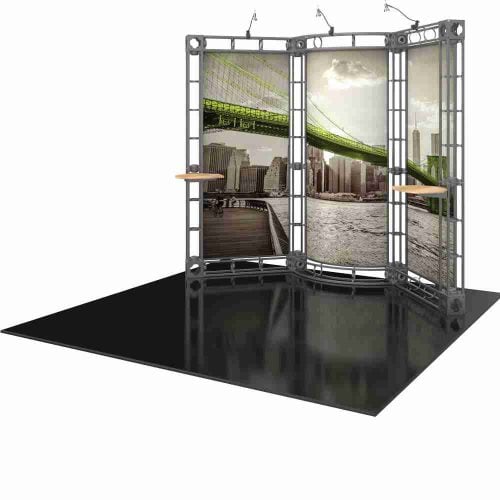
The sirius 10×10 orbital truss exhibit is built for exhibitors who want a professional, structural booth presence without the logistics headache of a full custom build. Aluminum truss framing gives the display a finished, architectural look that fabric pop-ups and banner walls simply cannot replicate — and it holds up across dozens of shows without losing its shape or rigidity. At a 10′ x 10′ footprint, the Sirius fits the most common booth contract on the trade show floor, so there is no reconfiguring or cramming a larger structure into a smaller space. The frame ships in a rolling case that also converts into a branded counter, meaning your booth looks intentional from the moment visitors walk up. Graphic panels are dye-sublimated onto tension fabric, so color stays vivid under harsh show-floor lighting without glare or pixel breaks. The entire system is designed to be set up by one or two people without tools, keeping your pre-show setup window short and your team focused on selling. If you are shopping the full range of 10×10 truss options, the 10×10 truss display category page covers every available configuration alongside spec comparisons.
– 10′ x 10′ kit size
– Custom appearance
– Toolless assembly
– Simple twist and lock design
Kit includes:
– 8 x 6-way junction boxes
– 8 x 36″ straight truss lengths
– 4 x 46″ straight truss lengths
– 2 x 90° curved truss lengths
– 1 x full set of quicklock connectors
– 2 x adjustable tabletops*
– 3 x Lumina 1, 50 watt spotlights
– 1 x OCF molded case (OR 4 x OCH2 molded cases)
Graphic materials: Dye sublimated fabric or UV printed panels
*Tabletop max weight = 25 lbs / 11.34 kgs
*Tabletop color options: silver, black, mahogany, natural
One of the practical strengths of the sirius 10×10 orbital truss exhibit is how fast it moves from rolling case to fully erected display. The sequence below covers a standard setup under show conditions:
Total setup time for a practiced two-person team typically runs under 45 minutes, which is competitive with any 10×10 aluminum truss display on the market.
The aluminum extrusion used in the Sirius frame is lightweight without feeling flimsy. Each section has a clean brushed finish that reads as premium under showroom and convention-center lighting. Corner connectors are machined to tight tolerances, which is why the assembled frame feels solid rather than wobbly — a common complaint with lower-cost truss kits that rely on loose push-pin hardware.
Graphic panels are produced via dye-sublimation printing onto stretch fabric. The process bonds ink into the fiber rather than sitting on top of it, which means the image does not crack or peel after repeated packing and unpacking cycles. Color gamut is wide, so photographic imagery, gradient backgrounds, and deep brand colors all reproduce accurately. Panel edges finish cleanly because the fabric is cut and hemmed to spec, not left raw.
The frame profile is consistent with the wider orbital truss display family, which means accessory options — lights, monitor mounts, shelving brackets — designed for the Orbital Express platform are cross-compatible with the Sirius.
| Feature | Detail |
|---|---|
| Footprint | 10′ x 10′ |
| Frame material | Lightweight aluminum extrusion |
| Connection system | Tool-free orbital locking connectors |
| Graphic print method | Dye-sublimation on tension fabric |
| Case/counter included | Yes — rolling case converts to counter |
| Setup time (2 people) | Under 45 minutes |
| Lighting compatible | Yes — standard Orbital Express accessories |
The sirius 10×10 orbital truss exhibit occupies the entry point of the Orbital Express platform — the smallest footprint, the most portable case, and the fastest setup in the lineup. That makes it a practical first truss purchase for exhibitors who are moving up from fabric pop-ups and want a more structural look without committing to a large booth contract.
If your show schedule includes a mix of 10×10 contracts and larger inline spaces, it is worth knowing that the same Orbital Express connection system scales up. The 10×20 truss display uses identical hardware, so teams already familiar with the Sirius can extend to a double-wide configuration without relearning a setup process. For brands that work island or peninsula contracts at major shows, the 20×20 aluminum truss display expands the platform further with a four-sided open structure that reads well from every aisle direction.
Before settling on any size, the trade show truss buying guide is a useful reference — it covers frame types, graphic options, and questions to ask before placing an order, so you can confirm the Sirius is sized correctly for your specific show contracts.
The custom 10×10 orbital truss configuration available for the Sirius means your graphic panels are produced to your brand files, not pulled from a template library. If you want to explore every available build option — counter styles, lighting packages, additional graphic panels — the 10×10 orbital truss kit page lays them out with pricing.
The sirius 10×10 orbital truss exhibit is in stock and available to ship quickly after graphic approval. Submit your brand files during checkout, and the production team will confirm print specs before your panels go to press. If you have questions about sizing, graphic file requirements, or accessory compatibility, contact the Showfire Displays team directly — configuration support is part of the purchase process, not an add-on. Order today and arrive at your next show with a booth that earns the space it occupies.
| Weight | 120 lbs |
|---|---|
| Dimensions | 51 × 39 × 24 in |
Products You May Also Like

Clogo 144 Airsquirrels

Clogo 231 Baytek

Clogo 232 Treemendous

Clogo 239 Freightwaves

Clogo 234 Hardyproair

Clogo 237 Redbull

Clogo 241 Animeusa

Clogo 230 Edgefactory

Clogo 236 Fujifilm

Clogo 63 Sclhealth

Clogo 251 Ivanzi

Clogo 242 Wescom

Clogo 250 Snapcab

Clogo 225 United Teleports

Clogo 219 Ecp

Clogo 218 Baylor
Clogo 243 Lord

Clogo 175 Tamucc

Clogo 224 Becker

Clogo 212 Bankofmarin

Clogo 199 Carpetsplus

Clogo 202 Arbor

Clogo 188 Jbhunt

Clogo 197 Meteor

Clogo 193 Randc

Clogo 183 Intuit

Clogo 184 K2 Spas

Clogo 185 Unl

Clogo 187 Cirquedesoleil

Clogo 178 Petra

Clogo 173 Freedom

Clogo 161 Universalorlando

Clogo 159 Paynewest
Clogo 158 Tyson

Clogo 167 Vantage

Clogo 180 Nlp
Clogo 155 Wrs

Clogo 152 Mir

Clogo 151 Vegalab

Clogo 146 Goldfishcons

Clogo 145 Arrowavi

Clogo 156 Frg

Clogo 120 Pga

Clogo 110 Ozark

Clogo 108 Main Even
Clogo 104 Waco
Clogo 91 Seattlepump

Clogo 111 Thechapel

Clogo 134 Bakenjoy

Clogo 133 Act

Clogo 142 Cfn

Clogo 140 Hydrofarm

Clogo 126 Aerofarms

Clogo 135 Scbc
Clogo 137 Ferrumcity

Clogo 94 Miyokos

Clogo 93 Landaw

Clogo 98 Renttruck

Clogo 100 Cpmontana

Clogo 85 Hulu

Clogo 87 Schomp
Clogo 88 Beefjerky

Clogo 103 Amature

Clogo 81 Gartner
Clogo 80 Betson

Clogo 75 Blades

Clogo 73 Roseland

Clogo 72 Vacumax

Clogo 65 Nationwide

Clogo 45 Holanamericaline

Clogo 44 Livenation

Clogo 37 Mobilefleet

Clogo 56 Corporater
Clogo 55 Nextstar
Clogo 36 Oro

Clogo 34 Corecontractors

Clogo 54 Tazikis

Clogo 46 Kbellaspa
Clogo 204 Congoleum

Clogo 32 Veoride
Clogo 33 Bigiron

Clogo 30 Nutrabolt
Clogo 17 Foodmaven

Clogo 24 Comcast
Clogo 21 Radiantcurch

Clogo 05 Nikaochurch
Clogo 28 Bindlecoffee

Clogo 83

Clogo 246 Cstechnologies

Clogo 247 Gainesville

Clogo 52 Godlan
Clogo 08 Theheightschurch
Clogo 12 Go By Greenshield Oragnic

Clogo 14 Backbeat Creative